
5 Major VPN Benefits for Gamers: Security, Speed, and More
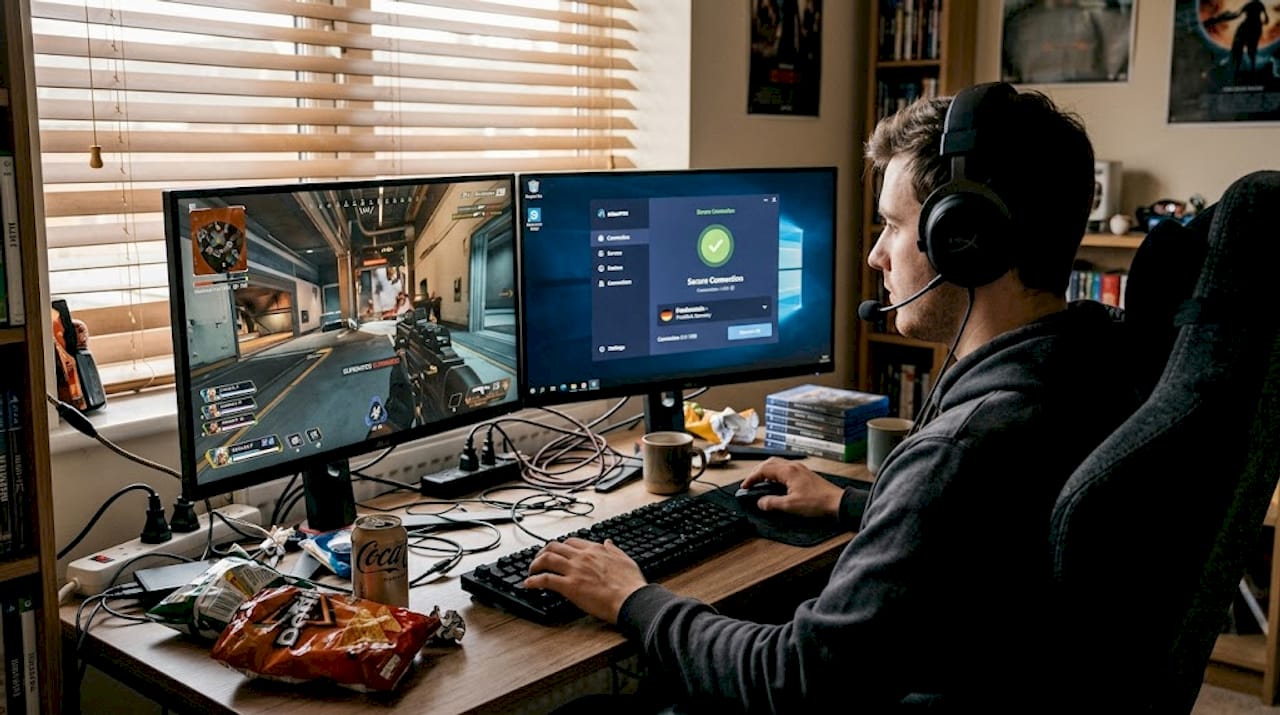
Getting hit with a DDoS attack mid-ranked match, watching your ping spike to 300ms, or finding out a game launch is locked to another region—these are real frustrations that serious gamers deal with constantly. A VPN (Virtual Private Network) is a tool that encrypts your internet traffic and routes it through a server in another location, hiding your real IP address in the process. When used correctly, it can shield you from targeted attacks, open up region-locked content, and even smooth out connection issues caused by your ISP. This guide covers everything you need to know: security, access, speed, downsides, and how to configure your VPN for the best results.
Table of Contents
- Protecting against DDoS attacks and swatting
- Unlocking region-locked games and content
- How VPNs impact speed and latency for gamers
- Avoiding bans, matchmaking issues, and potential downsides
- Configuring VPNs for the best gaming experience
- Our take: When a VPN is a game-changer—and when to skip it
- Level up your gaming security with the right VPN
- Frequently asked questions
Key Takeaways
| Point | Details |
|---|---|
| IP protection | A VPN hides your real IP address to defend against DDoS attacks and swatting. |
| Global game access | VPNs unlock region-locked games and friend lobbies so you can play anywhere. |
| Latency considerations | Most VPNs add some lag, but protocol choice and setup can help maintain good speeds. |
| Watch out for bans | Some games may block or ban players who use VPNs, so check the game’s rules before connecting. |
| Optimize with split tunneling | Routing only game traffic through the VPN can minimize speed loss and improve performance. |
Protecting against DDoS attacks and swatting
For competitive gamers and streamers, a DDoS (Distributed Denial of Service) attack is not just an inconvenience—it can knock your entire internet connection offline for hours. Attackers flood your IP address with junk traffic until your router gives up. If your real IP is exposed in a game lobby, on a stream, or through a voice chat platform, you are a target.

VPNs mask your real IP address, so attackers flood the VPN server’s IP instead of your home connection. That server is built to absorb that kind of traffic. Your home router never even sees the attack. This is especially critical for content creators who stream their gameplay live—your IP can leak through platforms, Discord calls, or even certain game clients.
Here are the scenarios where VPN protection matters most:
- Streaming on Twitch or YouTube while playing competitive games where opponents can see your username
- Playing in high-stakes tournaments where rivals might target players to gain an advantage
- Using voice chat apps like Discord or TeamSpeak, which can sometimes expose your IP to other users
- Playing peer-to-peer games where your IP is shared directly with other players in the session
“A VPN won’t make you invincible, but it removes the easiest attack vector most harassers rely on—your home IP address.”
For maximum protection, look for VPNs that support modern security protocols like WireGuard or OpenVPN. You can explore options like the Tunnelbear VPN gaming guide to find a setup that fits your play style.
Pro Tip: Enable your VPN before launching any game or streaming software. If you connect after the session starts, your real IP may have already been exposed to other players.
Unlocking region-locked games and content
Besides staying safe, gamers also want access to every opportunity—no matter where they live. Region locking is one of gaming’s most frustrating realities. A game might launch two weeks earlier in Japan, a beta test might be exclusive to North America, or a limited-time in-game event might only run in Europe.
VPNs spoof your location to appear in a different country, letting you access servers, lobbies, and storefronts that would otherwise be blocked. This is useful for playing with friends abroad or grabbing region-exclusive deals on games.
Common use cases include:
- Early game releases: Some titles launch in Asia or Australia before North America. Connect to a server there and start playing days ahead.
- Regional pricing: Some digital storefronts offer significantly lower prices in certain regions.
- Exclusive beta access: Developers sometimes limit beta tests by country to control server load.
- Playing with international friends: Join servers in their region without moving your physical location.
| VPN | Best regions supported | Ideal for |
|---|---|---|
| VyprVPN | Asia, Europe, North America | Early releases, global lobbies |
| NordVPN | 60+ countries | Broad geo-unlock coverage |
| ExpressVPN | 94 countries | Maximum location flexibility |
| Surfshark | 100 countries | Budget-friendly global access |
Check out VyprVPN region unlocking if accessing international servers is your main goal.
Pro Tip: Always read your game’s Terms of Service before using a VPN to access region-locked content. Some publishers treat it as a violation and may suspend your account.
How VPNs impact speed and latency for gamers
Access is awesome, but connection quality can make or break your gaming session. So, what do VPNs really do to your ping?
The honest answer: most VPNs add 5 to 30ms to your ping due to encryption overhead and the extra routing hop. For casual gaming, that is barely noticeable. For competitive shooters where a 10ms difference can mean the gap between winning and losing a gunfight, it matters.
However, there are real situations where a VPN actually reduces lag. If your ISP is throttling your gaming traffic or routing your packets through a congested path, a VPN can bypass that and find a faster route to the game server. 2026 tests show that ExpressVPN, NordVPN, and Surfshark average only 8 to 25ms of added latency using WireGuard or Lightway protocols.
| VPN | Avg latency added | Best protocol |
|---|---|---|
| ExpressVPN | ~8ms | Lightway |
| NordVPN | ~12ms | NordLynx (WireGuard) |
| Surfshark | ~18ms | WireGuard |
| CyberGhost | ~25ms | WireGuard |
To get the best performance when gaming with a VPN:
- Use WireGuard or Lightway protocols—they are significantly faster than older options like OpenVPN
- Connect to the nearest server to the game’s actual server location, not just nearest to you
- Enable split tunneling so only your game traffic goes through the VPN, keeping everything else on your regular connection
- Avoid multi-hop connections (routing through two servers), which adds unnecessary latency
- Test your ping before and after connecting using your game’s built-in tools or a site like Speedtest
You can compare real-world results at NordVPN speed comparison or check IPVanish gaming performance for another strong option.
Avoiding bans, matchmaking issues, and potential downsides
VPNs deliver serious advantages, but smart gamers also plan for possible hiccups.
Not every game is VPN-friendly. Anti-cheat systems like BattlEye or Easy Anti-Cheat sometimes flag VPN traffic as suspicious. Some games also enforce strict regional matchmaking, and connecting through a VPN can trigger NAT issues, matchmaking errors, or even temporary bans if you appear to be violating the game’s Terms of Service.
According to multiple sources including ZDNet, VPNs are best suited for security and geo-unlocking, not as a default speed booster. Using one without understanding the risks can create more problems than it solves.
Common VPN gaming problems and how to fix them:
- High ping spikes: Switch to a closer server or change your protocol to WireGuard
- Matchmaking failures: Disable the VPN temporarily to confirm it is the cause, then try a different server location
- NAT type issues: Look for VPNs that offer dedicated IP addresses, which behave more like a standard home connection
- Account flags or bans: Use the VPN only for games that explicitly allow it, or for single-player and PvE content
- Jitter and packet loss: Avoid multi-hop settings and stick to single-server connections
Pro Tip: Contact your VPN provider’s support team and ask specifically which servers and protocols they recommend for gaming. Most premium providers have tested configurations ready to share.
For a VPN designed with gamers in mind, CyberGhost VPN for gamers offers dedicated gaming servers that reduce many of these issues.
Configuring VPNs for the best gaming experience
Now you are aware of benefits and pitfalls—let’s cover how to actually set up your VPN for smooth and safe gaming.
The primary benefits of gaming VPNs are security and geo-access. Speed improvements only happen under specific conditions like ISP throttling or poor routing. That means your setup should prioritize low latency and stability, not just raw encryption strength.
Here is a step-by-step configuration checklist:
- Choose your protocol: Select WireGuard or Lightway first. Only fall back to OpenVPN if your VPN does not support them.
- Pick your server location: Choose a server geographically close to your game’s server, not just close to your home.
- Activate split tunneling: Route only your game client through the VPN. Your browser, Discord, and other apps stay on your regular connection.
- Disable multi-hop: Unless you have a specific security need, single-hop connections are faster and more stable for gaming.
- Run a baseline test: Check your ping and jitter before and after enabling the VPN using your game’s network diagnostics.
- Start in casual matches: Before using your VPN setup in ranked play, test it in unranked or practice modes to confirm stability.
- Monitor over time: Ping can vary by time of day. Test during peak hours to see how your VPN handles congestion.
The Tunnelbear split tunneling feature is a solid option if you want an easy-to-configure setup that does not require advanced technical knowledge.
Pro Tip: Test with non-competitive matches first. Ranked games are not the place to discover your VPN is adding 80ms of lag.
Our take: When a VPN is a game-changer—and when to skip it
Here is the reality that most VPN marketing glosses over: a VPN is not a universal upgrade for gamers. It is a targeted tool that solves specific problems exceptionally well.
If you stream, create content, or play in high-visibility competitive environments, a VPN is practically essential. The DDoS protection alone is worth the subscription cost. If you live in a region with limited game access or want to play with friends on international servers, a VPN opens doors that would otherwise stay shut.
But if you are a competitive FPS player with a stable, unthrottled connection and no harassment concerns, running a VPN by default will likely hurt your performance more than it helps. The added latency is real, and in games where milliseconds matter, that is not a trade-off worth making.
We have looked at real-world NordVPN results and the data backs this up: even the fastest VPNs add some overhead. The smart move is to know exactly why you are using a VPN and configure it to serve that specific purpose. Use it strategically, not as a permanent always-on layer.
Level up your gaming security with the right VPN
Ready to experience better and safer gaming sessions? Whether you need DDoS protection, region access, or a reliable connection for international play, the right VPN makes a measurable difference.
At Accroku, we offer instant access to top-rated VPN subscriptions built for gamers. From VyprVPN for gamers to NordVPN best offers, our digital delivery means you are protected within minutes of purchase. No waiting, no complicated setup guides. Browse our full lineup and see all gaming VPNs to find the one that fits your play style, budget, and security needs. Your next session deserves better protection.
Frequently asked questions
Can using a VPN get me banned from games?
Yes, some games ban VPN users if they detect IP hopping or Terms of Service violations. Always check your game’s policy and use reputable VPN providers to reduce the risk.
Do VPNs improve ping or reduce lag for online gaming?
Typically, VPNs add 5 to 30ms to your ping due to encryption overhead, but they can reduce lag in cases of ISP congestion or poor routing to game servers.
How can I avoid lag when gaming with a VPN?
Pick the nearest server to your game’s location, enable split tunneling, and use WireGuard or Lightway protocols, which show the lowest latency impact in 2026 testing.
Is it legal to use a VPN for gaming?
Using a VPN is legal in most countries, but you should always follow the Terms of Service of your specific games and platforms to avoid account penalties.
Recommended
Explore premium digital products on Accroku
Instant delivery, 24/7 support, and automatic replacement protection on every order.
Browse products