Why choose streaming? Unlock flexibility, savings, and security

Millions of people are quietly saving $20 to $50 every month by ditching cable, yet most of them stumble into the same traps: overlapping subscriptions, missing live sports, and zero privacy protection. Streaming promises freedom, but getting real value out of it takes more than just downloading a few apps. In this guide, we break down the true costs, the smartest pricing strategies, the often-ignored security layer that tech-savvy users rely on, and how pairing streaming with the right digital tools turns a simple entertainment upgrade into a genuinely smarter lifestyle.
Table of Contents
- Understanding the appeal: Why streaming services win over cable
- Breaking down the costs: Affordability and pricing strategies
- Flexibility meets complexity: Stacking, churning, and live TV challenges
- Beyond entertainment: Security, productivity, and digital synergy
- Our take: Unlocking the full value of streaming in 2026
- Where to find top streaming, security, and productivity tools
- Frequently asked questions
Key Takeaways
| Point | Details |
|---|---|
| On-demand flexibility | Streaming lets you watch or listen when and where you want, unlike cable’s fixed schedules. |
| Smart savings strategies | Rotating subscriptions and using family plans can cut your costs by up to $50 every month. |
| Security and synergy | Integrating VPNs with streaming apps keeps your data safe and opens up more content. |
| Churn and stack risks | Stacking for live sports or too many services can erase savings and create fatigue if not managed. |
Understanding the appeal: Why streaming services win over cable
Cable TV built its empire on scarcity. You watched what was on, when it was on, or you missed it. Streaming flipped that model entirely, and the results speak for themselves. The core draw is control: watch what you want, when you want, on whatever screen you have nearby.
The advantages of streaming go well beyond convenience. Here is what consistently pulls users away from cable:
- On-demand access: No more scheduling your evening around a broadcast. Every episode, every album, every movie is available the moment you want it.
- Flexible pricing tiers: Ad-supported plans, premium upgrades, and family bundles let you match spending to actual usage.
- Algorithmic recommendations: Platforms learn your preferences and surface content you would never have found by flipping channels.
- Multi-device compatibility: Start a show on your TV, continue on your phone during a commute, finish on a laptop. Cable simply cannot do that.
- Offline downloads: Many platforms let you save content for travel or low-signal situations, a feature cable has never offered.
For tech-savvy users especially, the gap is even wider. Multi-device compatibility and offline downloads are table-stakes expectations, not bonus features. The ability to manage an entire entertainment library from a single app, across every device you own, is something cable’s hardware-dependent model cannot replicate.
“Streaming services offer on-demand access, flexibility, and personalized recommendations that cable’s rigid broadcast structure simply cannot match.”
Cable’s biggest structural weakness is its bundle model. You pay for 200 channels to watch maybe 12. Streaming lets you pay for exactly what you consume, nothing more. That said, this flexibility introduces its own complexity, particularly around pricing. Now that we have set the context, let us unpack how affordability shapes your streaming decisions.
Breaking down the costs: Affordability and pricing strategies
Streaming looks cheap until you start stacking services. Understanding the real numbers is the first step toward building a setup that saves money instead of quietly draining it.
| Service type | Example platforms | Monthly cost (approx.) |
|---|---|---|
| Cable (standard) | Comcast, Spectrum | $80 to $120 |
| Video (ad-supported) | Netflix, Hulu, Disney+, Peacock | $7.99 each |
| Video (premium) | Netflix Standard, HBO Max | $15 to $18 |
| Music (individual) | Spotify, Apple Music | $10.99 |
| Music (family plan) | Spotify, Apple Music | $16.99 (up to 6 users) |
| Sports/live TV | YouTube TV, Sling | $40 to $73 |
Ad-supported tiers starting at $7.99/mo for Netflix, Hulu, Disney+, and Peacock, plus music services like Spotify and Apple Music at $10.99 individual and $16.99 for family plans covering 6 users, make streaming genuinely affordable when managed well. The problem is that most people do not manage it well.
One of the smartest tactics in 2026 is subscription churning, which means rotating through services based on what you are actively watching rather than paying for everything year-round. Here is how to do it effectively:
- Audit your usage monthly: Identify which platforms you actually opened in the last 30 days.
- Cancel idle subscriptions: If you have not used it this month, pause or cancel it.
- Binge and rotate: Subscribe to one platform for a month, finish the content you want, then switch to the next.
- Track renewal dates: Use a free calendar reminder or budgeting app to stay ahead of auto-renewals.
- Rejoin for new releases: Most platforms run promotional rates for returning subscribers.
Subscription rotation saves $20 to $50 monthly, and nearly 50% of users already churn subscriptions to manage rising costs. That is not a fringe behavior; it is mainstream financial strategy.
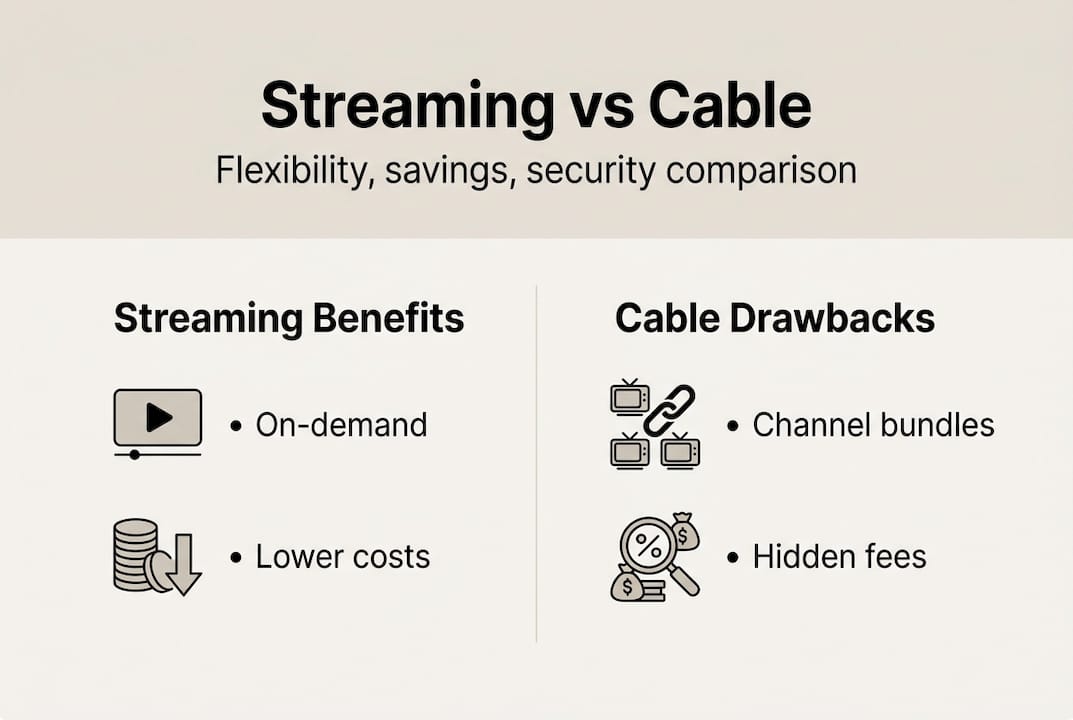
Pricing transparency is also more complicated than platforms advertise. Hidden costs include 4K upgrade fees, simultaneous stream limits, and the reality that live content almost always requires a separate add-on. Exploring Spotify family and individual plans or niche options like CuriosityStream pricing can surface better value depending on your specific mix of content needs. With pricing demystified, it is vital to address the complexity that comes with stacking and managing multiple subscriptions.
Flexibility meets complexity: Stacking, churning, and live TV challenges
Here is where the cable-versus-streaming debate gets genuinely complicated. The moment live sports or breaking news enters the picture, the cost math changes dramatically.
| Scenario | Services needed | Estimated monthly cost |
|---|---|---|
| Casual viewer (no live TV) | 2 to 3 streaming apps | $25 to $45 |
| Sports fan (NFL, NBA, soccer) | 5+ services stacked | $100 to $140 |
| Full live TV replacement | YouTube TV + add-ons | $120 to $160 |
| Cable (comparable package) | Single provider | $100 to $130 |
Live sports stacking can push costs to $120 to $160 per month ad-free, which directly rivals a cable subscription. That surprises a lot of cord-cutters who assumed they were saving money.
Churning helps, but it has limits. You cannot churn a live sports season the same way you churn a Netflix drama. Games happen in real time, and missing them is not an option for serious fans.
Watch for these warning signs of subscription fatigue:
- You are paying for services you have not opened in over a month
- Your combined monthly streaming bill exceeds $80
- You spend more time choosing what to watch than actually watching
- You have forgotten which email address is linked to which account
- Renewal charges appear on your card and genuinely surprise you
Pro Tip: Add FAST (free ad-supported streaming TV) services like Tubi, Pluto TV, or Peacock’s free tier to your rotation. These platforms carry thousands of hours of movies and older TV series at zero cost, which meaningfully reduces how many paid subscriptions you actually need.
FAST services appeal to heavy viewers as a supplement precisely because they fill content gaps without adding to the monthly bill. Cable still makes sense for a narrow group: households where live local news, regional sports, and network TV are daily habits and simplicity outweighs cost savings. All these options open up new ways to watch, but what about the hidden benefits of pairing streaming with security and productivity tools?
Beyond entertainment: Security, productivity, and digital synergy
The most underrated upgrade a streaming user can make has nothing to do with the content itself. It is about the infrastructure around it.
Here is how streaming integrates with broader digital productivity for tech-forward users:
- Voice assistant integration: Apple Music connects natively with Siri and HomePod, letting you control playback, set moods, and automate playlists without touching a screen.
- Cross-device continuity: Pick up where you left off across phone, tablet, laptop, and smart TV, which matters when you shift between work and personal time throughout the day.
- Family sharing and profiles: Separate profiles prevent algorithm contamination and keep kids’ content away from adult recommendations.
- Ecosystem lock-in benefits: Streaming apps integrated with ecosystems like Apple’s or Google’s create genuine workflow shortcuts when you are already deep in those environments.
VPNs are the other half of this equation. A quality VPN does three things for streaming users: it encrypts your connection on public Wi-Fi, it can unlock regional content libraries, and it prevents your ISP from throttling your bandwidth during peak streaming hours. VyprVPN for streaming privacy and IPVanish security for streaming are both solid options for users who want reliable performance without sacrificing speed.

Pro Tip: Use a reputable VPN like Tunnelbear for secure streaming or NordVPN for streaming when accessing content on hotel networks, airport Wi-Fi, or any shared connection. Your login credentials and viewing data are far more exposed than most users realize on public networks.
The convergence of entertainment, security, and productivity is where tech-savvy users pull ahead. When your streaming setup is protected, integrated, and automated, you spend less time managing it and more time actually enjoying it. Having mapped the landscape, let us challenge conventional wisdom about streaming: what actually works and what most guides ignore.
Our take: Unlocking the full value of streaming in 2026
Most streaming guides stop at “cut the cord and save money.” That advice is incomplete. Real value in 2026 comes from knowing when to stack, when to churn, and when to supplement with free options, and treating those as active decisions rather than set-and-forget choices.
The users who get the most out of streaming are not the ones with the most subscriptions. They are the ones who audit regularly, rotate smartly, and layer in tools like VPNs and voice integrations that cable never offered. Subscription fatigue is not inevitable; it is the result of passive management.
“Streaming is not a product you buy once. It is a system you tune continuously, and the people who treat it that way pay less and watch more.”
If you want content that actually builds knowledge alongside entertainment, CuriosityStream learning content is a genuinely underrated addition to any rotation. The full value of streaming is not in any single platform. It is in how intelligently you assemble and maintain the whole stack.
Where to find top streaming, security, and productivity tools
If this guide has you rethinking your current setup, the next step is finding the right deals without the usual friction of hunting across multiple sites.
At Accroku, you can access premium Spotify deals for music, DAZN streaming for live sports, and VyprVPN offers for secure, private browsing, all delivered instantly with automatic replacement protection. The platform bundles the exact tools this article covers: streaming credentials, VPN subscriptions, and productivity accounts, in one place with 24/7 support. For tech-savvy users who want to stop overpaying and start optimizing, it is the most direct path from reading about better streaming to actually living it.
Frequently asked questions
Why are streaming services typically cheaper than cable?
Streaming services use flexible pricing and ad-supported tiers, letting you pay only for what you watch or listen to. Ad-supported tiers start at $7.99/mo for major platforms like Netflix, Hulu, Disney+, and Peacock.
How can I save the most on streaming subscriptions?
Rotate or churn subscriptions based on what you use each month, which can save you $20 to $50 monthly. Nearly 50% of users churn their subscriptions to keep costs manageable as prices rise.
Do VPNs really help with streaming services?
Yes, VPNs offer privacy, access to global catalogs, and secure your connection on public networks. VPNs secure remote access and improve both privacy and content availability for streaming users.
Can stacking streaming services for live sports get expensive?
Absolutely. Stacking for live sports can push your monthly bill to $120 to $160 ad-free, which rivals or exceeds what most cable packages cost.
Recommended
Explore premium digital products on Accroku
Instant delivery, 24/7 support, and automatic replacement protection on every order.
Browse products